Video files that break players
Generated test files for players, upload pipelines and transcoders. Every frame is numbered, every second beeps, and each file comes with a fact sheet your tests can assert against.
The facts behind the file
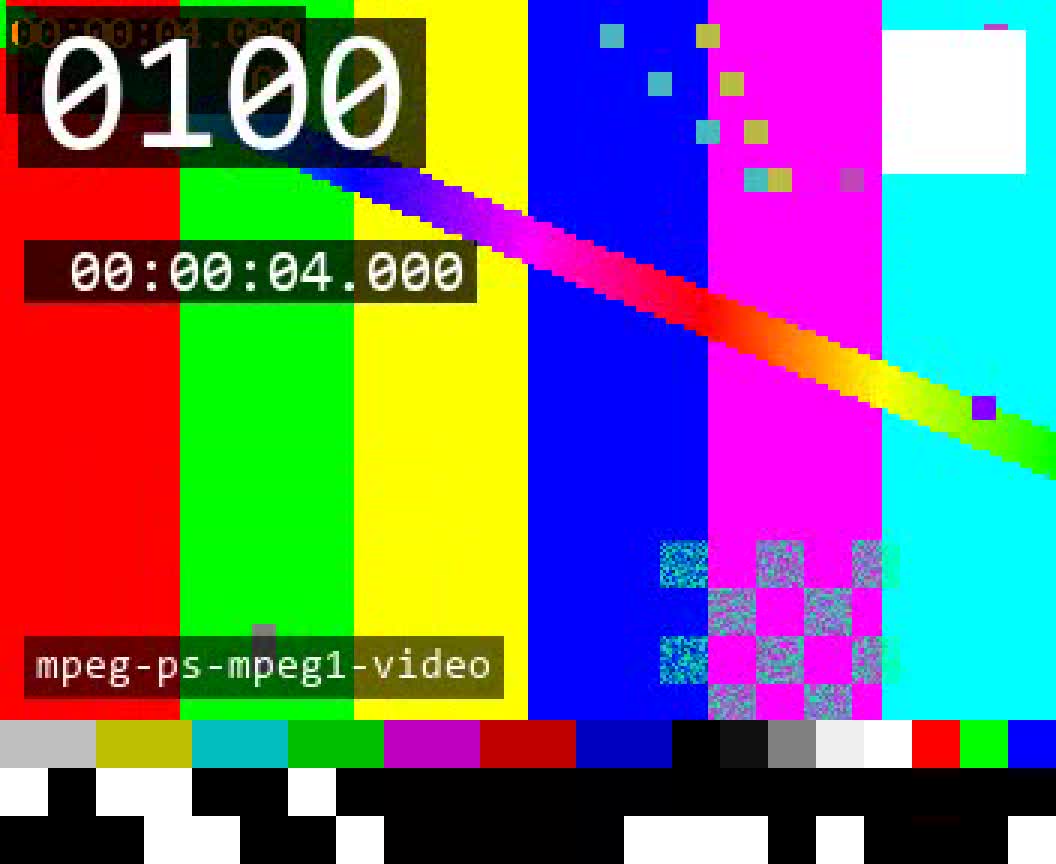
The clip above is one file from the catalog. Its fact sheet says what it contains and what a correct player shows, measured with ffprobe and checked by a second decoder. Your test asserts against it.
Changes with the file you pick above.
Built on a known player?
If your app plays video through libvlc, FFmpeg, GStreamer or mpv, every case runs through it out of the box. The runner plays each case in its own process and checks what the player shows, frame by frame, against the fact sheet. A crash or a hang is a result, not the end of the run.
$ testsrc run --player libvlcCustom player stack?
Your own player, a fork, a set-top box app or a web player. Wrap its command line and every case runs through it, with a JUnit report for CI. Native and browser players can also hand their frames to the testsrc checker, which is coming soon.
$ testsrc run --player cmd --command "myplayer {file}" --junit report.xmlSame files, same checks, same report, whichever player you test.
Real edge cases that broke players
Browse the library- MP4Portrait video rotated by the display matrix
Players that ignore the flag show it sideways.
edge/rotation-90-display-matrix.mp4 - MP4Audio that starts after the video
The delay is dropped and the sound plays early.
edge/audio-starts-500ms-late.mp4 - MP4Variable frame rate screen recording
Frames dropped or held where the rate changes; A/V drift apart.
edge/vfr-screen-recording.mp4 - MP4Anamorphic video
The pixel aspect is ignored and the picture is shown squeezed.
edge/anamorphic-sar-4-3.mp4 - TSMPEG-TS timestamps wrapping around
Playback freezes, jumps or stops at the wrap.
edge/ts-pcr-wrap.ts - MKVHDR10 AV1
HDR tags ignored: washed-out colours, no tone mapping.
edge/av1-hdr10.mkv - MKVMatroska without an index
The duration shows as zero, and seeking is slow or impossible.
edge/mkv-no-cues.mkv - WAV7.1 WAV
The speaker map is ignored: channels play from the wrong speakers.
edge/wav-7.1-extensible.wav
First, pick a case.
Browse the catalog by container, codec or what it breaks. Every case page says why the file exists.
Check it by eye
Fetch with a token, from CI.
Open-source projects
For open-source players, decoders, transcoders and frameworks: CI, bug-report templates, regression tests.
Free
token on requestCompanies
Tokens for CI, scripts and agents. Pinned snapshots, full fact sheets and expected outcomes. On request: the files on your own servers, custom cases. Evaluate it for 14 days first.
$6,000
a year per organisationUsage is metered per token. Tokens used to mirror or resell the catalog without an agreement are revoked.
Questions engineers ask
Can I use the files commercially?
Yes. Test, modify, commit them to your repo, ship them in your test suite and attach them to bug reports. Credit “Test media by testsrc.com”.
What can't I do with them?
Host them as a collection or sample library, resell them, or put them in a public dataset, AI training sets included.
Which players does it work with?
libvlc, FFmpeg, GStreamer and mpv are built in. Any other player, including your own, runs through its command line.
Where do the files come from?
Every file is generated from a recipe. All picture and sound is synthetic, so there's no third-party footage in any of them.
How do you know the facts are right?
Each file is measured with ffprobe and decoded by a second decoder before it's published. A file that doesn't match its recipe isn't published.
Is it free for open-source projects?
Yes. Ask for a token with the form below and say what you'll test. Tokens are rate-limited, and honest use is welcome.
Can you help with a bug a test file doesn't solve?
Yes. Describe it in the form below.
Hitting a media bug you can't crack?
Some bugs live in the bitstream, a muxer's quirk or a decoder's corner case. Tell us what breaks, or what you'd test, and get early access.
Built by Martin Finkel, VLC developer.